Comparisons
Tend vs. Instinct AI: features, workflows and personal memory
Compare Tend and Instinct AI on personal memory, email, documents, communication and account actions, with a feature table and practical examples.
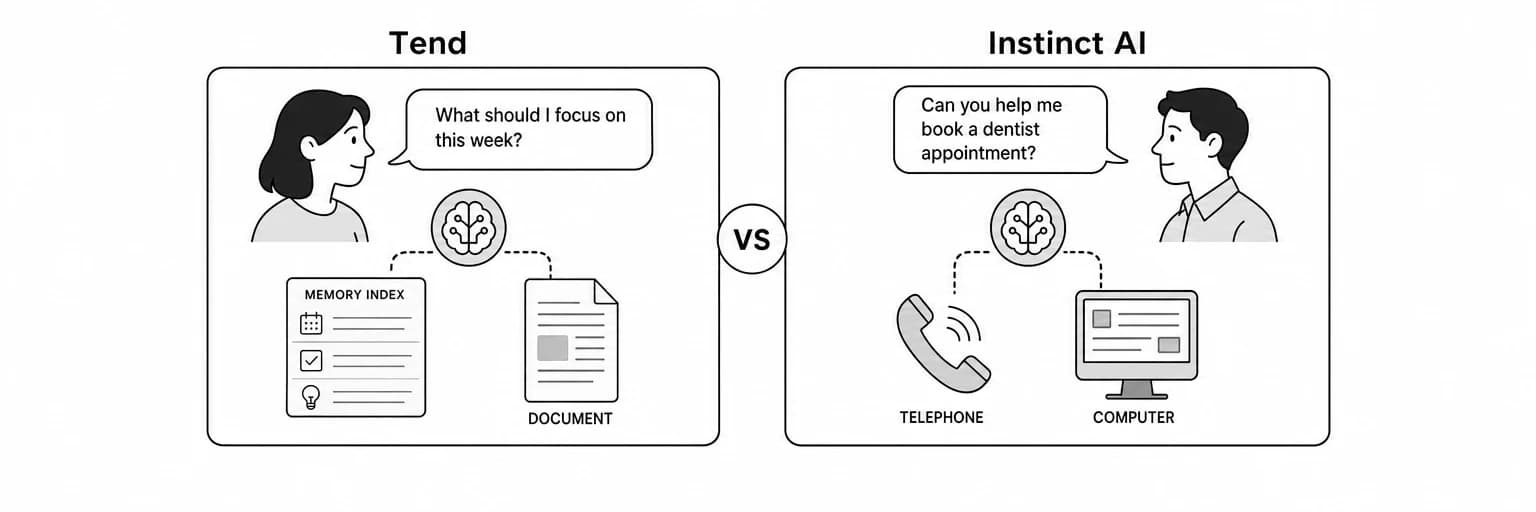
Tend vs. Instinct AI is a comparison between two personal AI assistants aimed at everyday work. Both are relevant if you want help following through on a task, rather than spending another evening managing email, plans and unfinished requests yourself.
Tend works through SMS and iMessage, with a web workspace for conversations, connected accounts and personal memory. Instinct’s public positioning emphasizes text and calls alongside access to applications and devices. Texting an assistant is common ground between the products; the useful comparison is the workflow, context and result you get back.
This article compares the current Tend app with Instinct’s official product description, checked on September 29, 2026. It does not claim hands-on speed, accuracy or reliability results for Instinct.
Key takeaways
- Tend is worth considering for visible personal context: its Brain view lets you inspect what your agent has learned about people, preferences, projects and commitments.
- Both offer messaging: you can text Tend through SMS or iMessage; Instinct’s official site describes text and calls.
- There is overlap in the intended work: both are positioned around personal tasks and follow-through.
- A practical comparison needs a real task: examine the context gathered, the output and the final action, not just the initial answer.
- Account access and authorization matter: confirm the exact behavior for the accounts and actions you intend to use.
Tend vs. Instinct AI at a glance
The table distinguishes a documented capability from a detail that needs confirmation. “Not detailed on the homepage” does not mean a feature is absent.
| Comparison area | Tend | Instinct AI |
|---|---|---|
| Product focus | Personal context and everyday work through an ongoing agent conversation | A personal assistant that understands your priorities and handles everyday tasks |
| Communication | SMS and iMessage, plus a web workspace with conversations, accounts and memory views | Officially described as reachable by text or call |
| Personal context | Setup conversation and a visible Brain view | Official site describes understanding your work and personal nuances |
| Connected services | Connected accounts are available through the app’s Accounts view | Advertises connections to applications and devices |
| Device context | This article makes no claim of broad screen, audio or location collection | Homepage names email, messaging, screen, audio and location |
| Research and documents | Research, briefs, slide decks, PDFs and planning pages | Detailed document formats are not specified on the homepage |
| External actions | Agent instructions require authorization before sending or changing account data | Confirm action-specific approval behavior in your account |
| Best starting test | A context-rich task with a draft or deliverable to review | A personal task that fits its text-and-call approach |
What Tend is designed to do
Tend starts by learning who you are and what kinds of work you want help with. Its personal memory can carry people, projects, preferences and commitments into future requests. The Brain view makes this context something you can inspect and correct.
You can message Tend through SMS or iMessage to give it a task and receive its response. The web workspace adds access to conversations, account connections and the Brain view. It complements the messaging experience when you want to inspect context or review more detailed work.
Typical Tend requests include:
- Find the latest client thread and draft a reply using the relevant project context.
- Prepare a meeting brief that separates current facts from unresolved questions.
- Research a trip and return a shortlist with links and the important tradeoffs.
- Turn source material into a presentation or PDF you can review.
For a broader walkthrough, see what Tend does and what you can hand it.
What Instinct’s public description emphasizes
Instinct describes using phones and computers to complete personal tasks. Its examples include returning to a dropped conversation, arranging an airport ride and finding a handyman. Those examples make it relevant to people who want help with life administration through familiar communication channels.
The homepage is a starting point for understanding the product, rather than a complete specification. Before choosing it for a particular task, verify the access offered to your account and the connections that task needs.
Personal memory: what should you compare?
For an AI assistant with memory, remembering a preference is only part of the job. The assistant also needs to apply it in the right situation and avoid treating an outdated detail as a current instruction.
Tend’s visible Brain is a reason to consider it if you want to inspect the record behind an ongoing task. You can check whether a person, commitment or project detail has been retained correctly.
When evaluating either assistant, ask:
- Can it distinguish two projects involving the same person?
- Can you correct a deadline without repeating the entire history?
- Does a preference apply only where you intended it to apply?
- Does it ask when the context is genuinely ambiguous?
Those questions evaluate behavior. They are more useful than assuming that a product with memory will always choose the right context.
Email and client work: compare the whole workflow
Use the same request when comparing assistants:
Find the latest message from the client, summarize the unanswered questions and draft a concise reply. Use the project notes I provided. Do not send the message yet.
A strong result should find the correct thread, identify the unanswered questions and produce a draft that reflects the agreed project details. It should avoid making a delivery promise that is not in the record.
Review these points:
- Retrieval: did it use the right message and source material?
- Understanding: did it recognize the difference between a question and a decision?
- Writing: does the draft fit your style and the relationship?
- Reviewability: can you see and change the important wording?
- Follow-through: is the next step clear after you approve the result?
Tend supports this kind of workflow with connected accounts and personal context. For Instinct, confirm the corresponding workflow in your account instead of inferring it from a general marketing description.
Research, plans and finished documents
Some tasks end in a file rather than a message. That could be a client update, a planning document or slides for a meeting. Tend can prepare these deliverables from your notes and research.
If documents are central to your work, compare the exact output you need:
- Does it provide the requested file format?
- Are claims and figures traceable to their sources?
- Does it separate assumptions from established facts?
- Can you revise the result without rebuilding the task from the beginning?
Use a representative request, such as a five-slide project update with a short section on open questions. Review the actual file before deciding whether the assistant fits this workflow.
Permissions and control
A personal assistant may read account information, prepare work and take external actions. Those are different steps. Knowing the context of an email does not automatically authorize sending it.
Tend’s agent instructions require a go-ahead before sending or changing things unless you have already authorized the action. You can ask for a draft first and authorize a specific final step afterward.
For either product, establish:
- Which accounts the task requires.
- Whether your request authorizes preparation or execution.
- How you review recipients, wording, bookings and commitments.
- How to stop or narrow ongoing work.
Keep your first trial easy to review. An email draft or planning brief reveals useful behavior without requiring a payment or a consequential commitment.
When Tend may be the better fit
Consider Tend when you want:
- A visible place to inspect personal memory.
- SMS or iMessage for giving your assistant tasks and receiving replies.
- A web workspace for reviewing context alongside the conversation.
- Research and documents as part of the same ongoing task.
- An assistant that can carry project details into later requests.
These are specific reasons to consider Tend as an Instinct AI alternative. They do not establish a universal advantage over Instinct or a tested performance difference.
If calling your assistant matters, evaluate Instinct’s advertised calling workflow separately. Text messaging itself is not a reason to rule out Tend: Tend supports SMS and iMessage. The important test is whether the capabilities available to your account complete the tasks you care about.
Frequently asked questions
Can I text Tend, or do I have to use the website?
You can text Tend through SMS or iMessage. The website provides an additional workspace for conversations, connected accounts and personal memory.
Is Tend an alternative to Instinct AI?
Yes, for people evaluating personal AI assistants for everyday work. Compare the exact accounts, output formats and tasks you need before choosing either product.
Does Instinct have personal memory?
Its public description emphasizes understanding your work and personal context. This article does not establish how its memory is stored, inspected or edited; confirm those details in the product.
Is Tend better for email and documents?
Tend supports email assistance and document preparation. Whether it is better for you depends on the finished results in your own workflow. We have not published comparative performance measurements here.
How should I test a personal AI assistant?
Use the same source material and desired outcome. Ask for a draft or brief, correct one important detail and then give a follow-up request. Compare accuracy, review effort and continuity across the steps.
Sources and next steps
- Instinct’s official product page supports the Instinct descriptions in this article.
- Tend descriptions reflect its current app, account tools, memory interface and agent instructions.
- For another product comparison, read Tend vs. Muse AI.
Try Tend with one task from your own list. A useful first comparison is the work you actually need done.