Guides
An AI assistant for your Shopify store, by text
How Tend connects to a Shopify store so you can check orders, stock and customers, change prices and make discount codes by text, with your yes before any change.
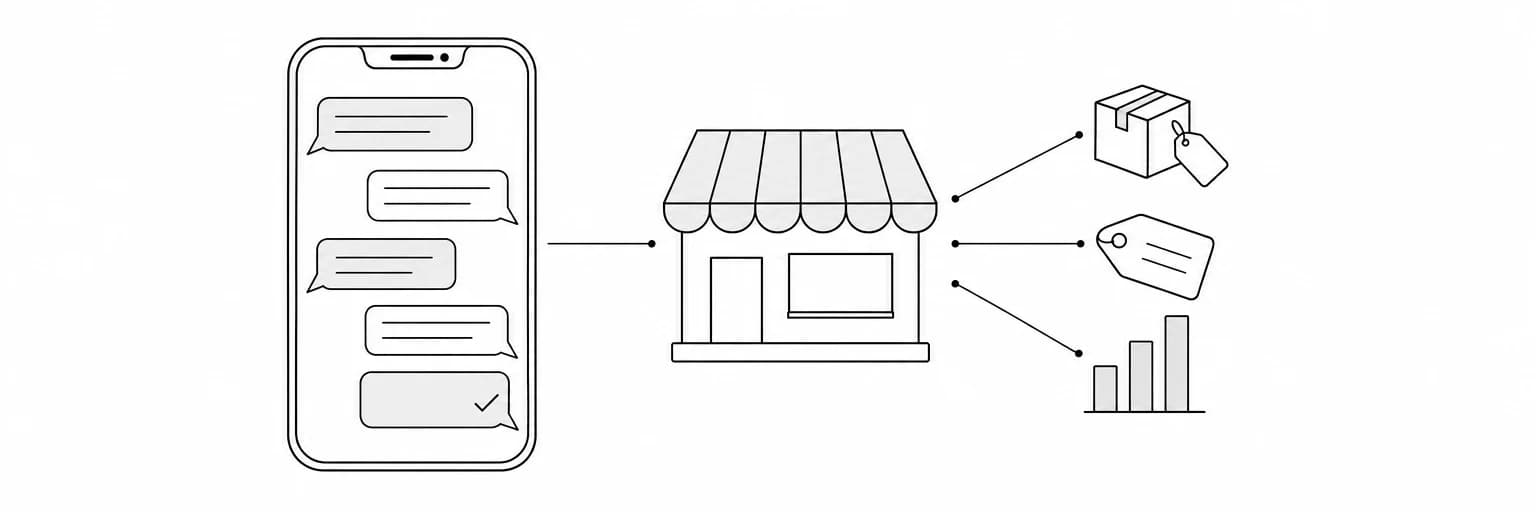
An AI assistant for your Shopify store that works by text means this: you send "what sold today, and what's low on stock?" from the Messages app, and the answer comes back in the same thread. "Change the price of the Linen Shirt to $48" is a text too. Tend reads your store through the Shopify connection you approved, tells you exactly what it is about to change, and changes it only when you say yes.
This guide is for the owner of a Shopify store who is not at the admin all day. It covers how the connection is made, what you can ask, what happens before a change, and which parts depend on Shopify's own permissions. It also puts Tend next to Sidekick, Shopify's assistant in the admin, and next to the Shopify mobile app, so you can tell which door fits which job.
It describes Tend's current app as of October 15, 2026, and Shopify's own documentation as checked on that date. It is about running your own store. Buying from Shopify brand stores as a shopper is a different Tend feature, through Shop, Shopify's shopping app, and is not covered here.
Key takeaways
- The connection is Shopify's own install screen. Text "Connect my Shopify", open the link, log in to Shopify, pick the store, and click Install. Tend never sees your Shopify password.
- Reading is the everyday use. Sales today, what is low on stock, the last ten orders, a customer and her orders, a product and its price.
- Changes wait for your yes. A new price, a discount code, forty units added to a location: Tend states exactly what it will do first, and does it when you reply yes.
- Three things depend on Shopify's approval of the app, not on Tend: orders older than 60 days, customer names and contact details, and theme file edits. Tend says what it cannot reach.
- Sidekick lives in the admin; Tend lives in your messages. They are different doors to the same store, and Tend also covers the rest of your business from the same thread.
How the connection works
Tend is a personal AI agent you text over iMessage or SMS. You sign in with your phone number at heytend.me/login. Tend is invite-only while in early access, so the number goes on an early-users list, and on approval a text arrives with a one-time sign-in link. How Tend works over iMessage and SMS covers the conversation itself.
Connecting the store takes one text: "Connect my Shopify". Tend replies with a secure link. Shopify's sign-in works a little differently from other apps, as the Connect Shopify to Tend guide describes: you log in to Shopify, choose the store to connect from the list it shows, and click Install on Shopify's own screen, which lists what Tend will be allowed to do. Tend never sees your Shopify password. You can do the same on the web: sign in at heytend.me with the same number, open Accounts, choose Shopify and click Connect.
The access Shopify grants is held by Composio, the service Tend uses to connect accounts, not by Tend's own servers. The page heytend.me/integrations/shopify shows Connected once the store is linked, with a Disconnect button. Shopify shows it too: Settings, then Apps and sales channels, lists Tend with Uninstall. Either way Tend loses access at once, and nothing in your store is changed or deleted.
What you can ask, as a day in the store
The guide lists what the connection covers: Tend can "look up and update your products, orders, customers, inventory and discounts, work with collections, pages, themes and the files in your store, and follow fulfillments, returns and draft orders". What it reads, in the guide's words, is "your products, collections, orders, draft orders, customers, inventory and locations, discounts, fulfillments and returns, pages and navigation, files, themes, markets and reports".
As texts, using the asks the guide itself gives:
- Sales and stock. "What sold today, and what's low on stock?"
- Orders. "Show my last 10 orders."
- Customers. "Find the customer jane@example.com and her orders."
- Products. "Find the product Linen Shirt and its price."
- Prices. "Change the price of the Linen Shirt to $48."
- Discounts. "Create a 15% discount code FALL15 that ends Sunday."
- Inventory. "Add 40 units of the Blue Mug at our main location."
The first four are reads, and the answer comes straight back. The last three change the store, and those go through the yes rule below.
Tend texts you on its own only for things you asked it to watch or remind you of. It does not push a message for every order unless you ask it to watch for something.
One change, start to finish
An example written for this article, not a record of a real store:
- You text: "Create a 15% discount code FALL15 that ends Sunday."
- Tend replies with exactly what it will create: a code named FALL15, 15% off, ending Sunday, and asks for your approval.
- You reply "yes".
- Tend creates it. The code appears under Discounts in your Shopify admin, and Tend confirms it in the thread.
The guide puts the rule in one sentence: "For anything that changes your account, such as creating or updating a product, a price, a discount, a customer or a page, changing inventory, or editing a theme, Tend tells you exactly what it is about to do and waits for your yes." A price change works the same way: Tend asks first, then changes it in Shopify.
This is one more reply than a dashboard needs. In exchange, nothing changes in your store that you have not read in full first.
What depends on Shopify's permissions
Some of what Tend can reach depends on your Shopify plan and on what Shopify allows apps to read. Products, orders, customers, inventory, discounts and pages are available on any Shopify store. Three things are gated by Shopify, and Shopify's own documentation says how.
Orders older than 60 days. Shopify's access scopes page says an app has access to the last 60 days of a store's orders by default. Older orders need the read_all_orders scope, which Shopify must approve for the app (Shopify API access scopes, checked October 15, 2026).
Names, emails, phone numbers and addresses on orders and customers. Shopify treats these as protected customer data. An app requests each of the four fields, Shopify reviews the request for a public app, and fields that are not approved come back empty (Work with protected customer data, checked October 15, 2026). Tend connects through a public Shopify app, so this review applies to it.
Editing theme files. The write_themes scope itself carries no approval label on the access scopes page, but a publicly distributed app that modifies a theme or its files needs an exemption from Shopify in addition to the scope. The exemption covers only the described use and can be revoked (same page, checked October 15, 2026).
In each case the rule is Shopify's, and the guide's line applies: on a store without the plan or the approval, Tend says what it cannot reach, rather than guessing.
Themes and the jobs the API cannot do
Tend's Shopify app does not write theme files through the API. When a job cannot go through the API, such as uploading a theme, Tend does it in the store's admin in a browser, signed in with the Shopify login saved in your vault. The first sign-in on a new device stops at Shopify's email code, which Tend asks you for and then continues.
Uploading a theme adds it as a draft. Publishing replaces your live theme, so Tend publishes only on a yes to exactly that.
A storefront with your Shopify checkout
Tend also builds websites. Its site says it builds your website and puts it live, with "a store on it, with your Shopify products and checkout", and takes "changes by text: a new page, a price, a photo". On a store built this way the products come from your Shopify, and the cart and checkout stay Shopify's own, so a buyer pays where they would on any Shopify store. Read what Tend does for the rest of what it builds.
Tend, Sidekick and the Shopify app: which door
Shopify has its own assistant. Sidekick is, in Shopify's words, "an AI-enabled commerce assistant in your Shopify admin". Its help page says it answers questions, does data analysis, order management and product editing, writes product descriptions and blog posts, makes images, and runs longer tasks in the background. It "presents changes for your review before applying them". You reach it from any page of the admin on desktop or mobile, with a voice mode, and by voice on Apple Watch. It is "included with your Shopify plan", and "features and usage limits vary by plan" (Sidekick help page and shopify.com/magic, both checked October 15, 2026). Shopify's pages do not state regions or plan tiers, so this article does not either.
The Shopify mobile app is the third door. It lets you manage orders, create fulfillments and capture payments, and it sends a push notification when a new order comes in (Shopify app, checked October 15, 2026). If all you want is a ping on each new order, that app already does it.
| Where it lives | What it does | Before a change | |
|---|---|---|---|
| Tend | iMessage and SMS, plus a web chat | Reads and updates the store through the Shopify connection; also works in your other accounts | States the exact change and waits for your yes |
| Sidekick | The Shopify admin, desktop or mobile, and Apple Watch by voice | Questions, analysis, order management, product editing, writing, images, background tasks | Presents changes for your review before applying them |
| Shopify mobile app | The Shopify app on your phone | Orders, fulfillments, payment capture, new-order notifications | You tap the change yourself |
If you live in the admin, Sidekick is the obvious first choice: it is already there and it is part of your plan. Tend's difference is where it lives and how far it reaches. It is the thread you already use for everything else, and the same agent carries your store's context into the rest of your work.
One more distinction, since the phrase "AI assistant for Shopify" is used two ways. Most tools under that name are support bots for your customers, a chat or phone agent on your storefront. Tend is an assistant for you, the owner, working in the store on your side.
Beyond the store
The same number you text about stock is the one that makes and sends invoices from QuickBooks and tells you who owes you, moves deals in HubSpot, drafts email campaigns in Klaviyo, writes posts from your website, puts leads on one sheet, and makes the phone call for you. The small business use case lists each of those. What Tend learns about your store and your customers stays in its Brain, where you can read and correct it.
Frequently asked questions
Do I need a particular Shopify plan?
Products, orders, customers, inventory, discounts and pages work on any Shopify store. Orders older than 60 days, customer contact details and theme file edits depend on Shopify's approval of the app, not on your plan alone. Tend tells you when it cannot reach something.
Can Tend see my customers' email addresses?
Only once Shopify has approved the app for protected customer data. Until then Shopify returns those fields empty, and Tend says so.
Can Tend refund an order?
The guide lists orders, fulfillments and returns among what Tend follows, and does not list refunds. If you ask for something the connection does not cover, Tend says what it cannot do rather than attempting it another way.
Does Tend replace Sidekick?
No. Sidekick is Shopify's assistant inside the admin and is part of your plan. Tend is a different door, by text, that also reaches your other accounts. You can use both.
What happens when I disconnect?
Click Disconnect on heytend.me/integrations/shopify, or uninstall Tend under Apps and sales channels in Shopify. Tend loses access at once. Nothing in your store is changed or deleted.
Sources and related reading
- Connect Shopify to Tend, Tend's user guide.
- Shopify API access scopes, checked October 15, 2026.
- Work with protected customer data, Shopify, checked October 15, 2026.
- Sidekick, Shopify Help Center, checked October 15, 2026.
- Shopify app, Shopify Help Center, checked October 15, 2026.
- About Shopify API versioning, checked October 15, 2026. Tend's integration is built on the 2026-10 version.
- An AI assistant you can text.
- What Tend does.
Sign in with your number and text "Connect my Shopify". If anything here is out of date, contact Tend and it will be corrected.